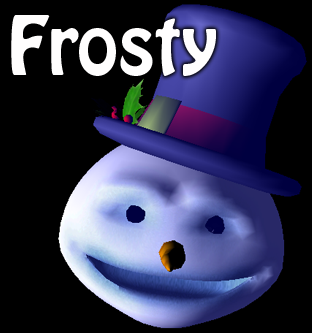
Frosty the snowman was a jolly happy soul Features
If you use Frosty to entertain your guests this holiday season, be sure to tell us about it and we'll feature it on our "Friends of ImaginEERIEing" page! |
Frosty is our first digital puppet designed to make your holiday season bright. With universal appeal for everyone from the young to the young at heart (and maybe even a Scrooge or two), Frosty can sing along with your favorite Nat King Cole, Ella Fitzgerald, or other song - even one of your own styling! Sure, we specialize in Halloween haunts here at ImaginEERIEing, but in our experience, many home haunters go above and beyond on all holidays. Whether you like entertaining your guests, or just enjoy making spectacular yard displays, Frosty is the unique decoration that you control. Full Version
Price: $15 Demo VersionFrosty Version 1 is the latest stable demo version. The only difference between the demo and the full version is a watermark behind Frosty, which is removed when you register the full version. |
FAQ's and Recommendations
- How do I make Frosty as big as possible onscreen?
- Frosty runs at 800x600 resolution, so you should set your screen resolution to be as close to that as possible. You typically do this in your system preferences.
- Help! I can't record a performance - it stops recording as soon as I start!
- Frosty times your performance against a sound file. If you don't provide Frosty with a sound file to record your performance against, you will stop recording as soon as you start. Make sure you give it a standard audio file format, like .mp3 or .wav, that your file really is in that format (and not just named .mp3), that your file's permissions are set so that Frosty can read it, and that you have given Frosty the proper location of the file. If you don't hear your sound file playing when you start recording, then something is preventing Frosty from accessing your sound file.
- How do I get the best results out of Frosty?
-
Your best results will come from having a live puppeteer controlling Frosty
as it interacts with your guests. That interactive element adds a lot
for many visitors. It is better to use manual control of the mouth, rather
than relying on the microphone, since unintentional noises can open the
mouth (like an "mmmmmm" sound), and you may want his mouth to be open when
there is silence (such as if he goes slack-jawed from some strange comment).
We also strongly recommend that you build a facade for Frosty and display him behind a "scrim," which hides the fact that he's generated by a computer. It takes a bit of work, but the results are fantastic and sure to please your visitors. For more details on how to build a facade, and more on the history of this great attraction effect, see our Magic Mirror page. - How do I create my own backdrops?
- The backdrop feature allows you to load any image and use it as a backdrop. The recommended image size is 512x512 pixels, but any image size can be loaded - it will scale your image to be 512 pixels wide, and then fill the rest of the 512x512 with black if necessary. Frosty will then scale the image to be as wide as the screen. To load it up, select "Backdrop" from the "Appearance" menu in the console, and select the "Custom File" option. You'll be prompted to locate the image you want to use.
- Can I save a performance as a QuickTime movie?
- Frosty by itself does not support this feature. However, you should be able to use Snapz Pro X on Mac or a similar utility on Windows to capture the screen video for later use in a video editing application.
- I'm using Windows, and I get script error messages.
- This is probably due to the way you extracted the ZIP file. In order to run properly, there needs to be a folder called "Xtras" in the same location as the Frosty application. The asFFT.x32 file needs to be in the Xtras folder. If the asFFT.x32 file is not in the Xtras folder, or the Xtras folder is not in the same folder as the application, or if permissions are set so that Frosty cannot read out of the Xtras folder, then Frosty will fail to run.
Version History
- v1
- Initial beta release