A chilly breeze, a clap of thunder! If you want to build something like our magic mirror prop but want to give it a more evil, sinister edge, why not use Yorick, our new skull-headed digital puppet? |
CLICK HERE TO PURCHASE Try the demoPlease try before you buy! The demo is fully-featured, with only a watermark, so you can find out if the puppet will work for you before you drop a single dime on it. |
Features
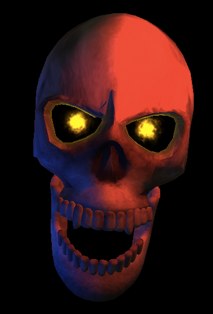
- New for 2012 Haunting Season! A complete rewrite for modern operating systems, with a higher resolution model.
- Customizable lighting setup. Choose the colors for the ambient light and highlight, and choose the direction the highlight comes from.
- Choose what color Yorick's eyes glow.
- Decorate him with pirate garb, devil horns, or an iron crown.
- The many moods of Yorick: sad, docile, and furious.
- Turn floating on or off.
-
Totally rewritten interface that's easier to use:
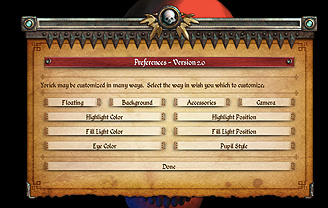
If you are having trouble with resolution or color issues, you can hold down Option (on Mac) or Alt (on Windows) when launching the puppet to see a resolution picker dialog. This is useful if the puppet is selecting the wrong resolution by default (say, if it is causing display issues, or is preventing mirroring to another screen).
Other haunts using Yorick
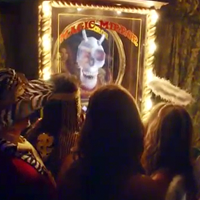
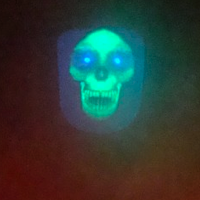
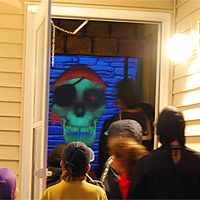
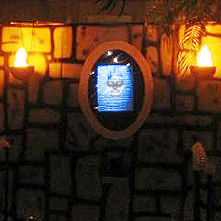
Did you use this effect in your haunt and want to show it off? Let us know about it and we might feature your haunt right here!
Version History
For the 2012 haunting season, Yorick underwent a complete rewrite because the 3D framework we were using (Adobe Director) has apparently ceased all support for modern operating systems. As a result, the feature set for version 2.0 and 1.3 is drastically different. Some new features are in, some features have been dropped. Overall, we think the new version is more streamlined and easier to use, but if one of the features you liked from the old versions is key to your haunt, you can download old versions below - they should all work with your serial number.
The most notable change is the fact that we dropped support for the microphone and scripting input types. You can achieve the scripting input type of control by just doing a performance while using screen capture software like Snapz Pro, since computers are generally more able to deal with video capture now than they were when we first introduced the feature. The microphone input, however, cannot easily be reproduced, but this was by far the feature which caused the most difficulty for our users, requiring many last-minute support emails on Halloween day. Considering this mode of input also results in the least convincing performance (due to many factors), we have removed it from all versions of our puppets going forward. If you require microphone input for your project, please use one of the older versions, but note that we can no longer support this deprecated feature.
- Version 3.1
-
A 64-bit build notarized for Mac OS X Catalina.
Mac Demo 3.0 - Version 3.0
-
A 64-bit build for use on Mojave and other 64-bit Mac OS X installations.
Mac Demo 3.0 - Version 2.2.cs
-
Same as version 2.2, only codesigned for playback on OSX Mavericks+.
Mac Demo 2.2.cs - Version 2.2
-
Fixes an issue with the 2.1 release that still did not save registration
information.
Mac Demo 2.2 Windows Demo 2.2 - Version 2.1
-
Addresses a bug which could cause Yorick to not save preferences and registration
information. Added a "quit" button to the preferences window.
Mac Demo 2.1 Windows Demo 2.1 - Version 2.0
-
Complete rewrite, including new models, migrating to the Unity platform.
Mac Demo 2.0 Windows Demo 2.0 - Version 1.3
-
Stability enhancements.
Mac Demo 1.3 Windows Demo 1.3 - Version 1.2.1
-
Addresses sluggish performance playback bug in 1.2.
Mac Version 1.2.1 Windows Version 1.2.1 - Version 1.2
- First public release
- Version 1.1
-
Added pirate ornamentation.
Added backdrop support.
Attempt to fix font issue on Windows. - v1.0
- Initial demo release